Login Page
The Login page is the gateway to accessing the system. It allows users to securely log in to their accounts using their credentials (username/email and password). The page also provides links for password recovery and other support options.
Key Features of the Login Page:
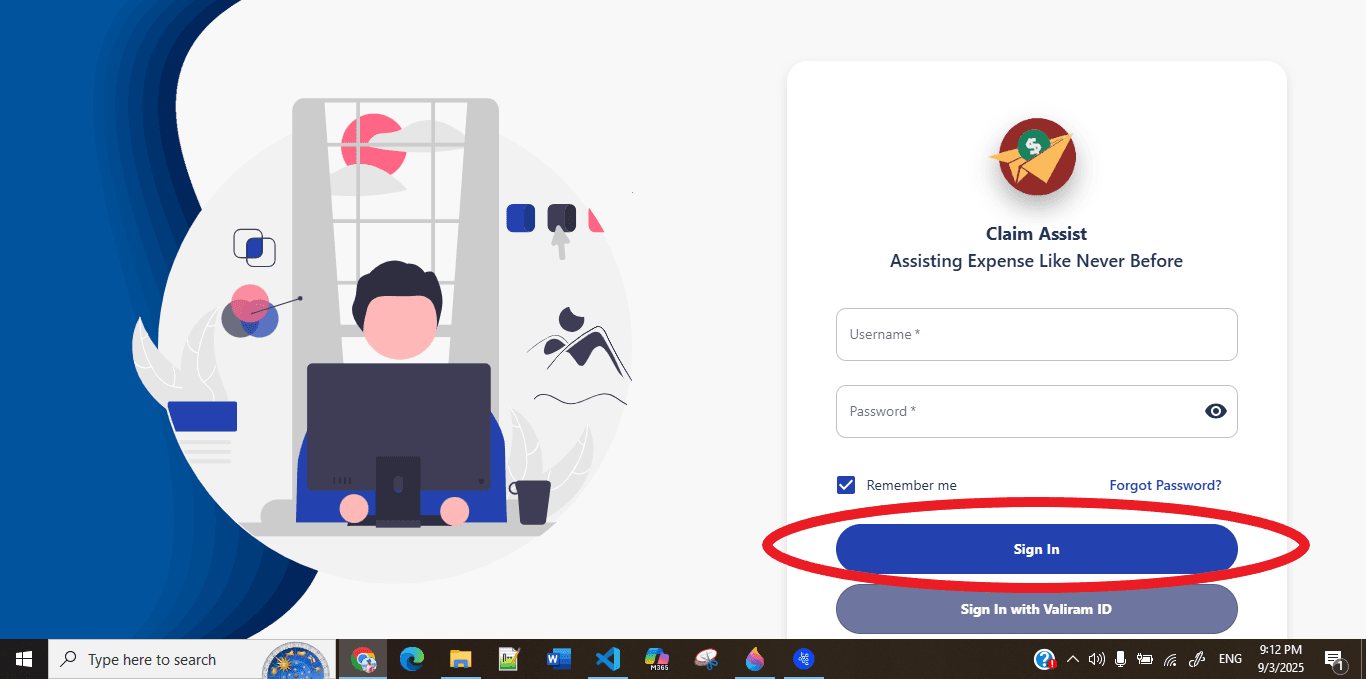
1. User Authentication:
- Users must enter their credentials to access the system.
- The login form typically includes two fields:
- Username/Email: The unique identifier for the user.
- Password: The secure password associated with the user's account.
- Both fields are required to be filled out for successful login.
2. "Remember Me" Option:
- A checkbox allowing users to save their login credentials for future sessions, minimizing the need for repeated logins.
3. Forgot Password:
- A link to assist users who have forgotten their password.
- Users can click on the "Forgot Password?" link to initiate the password reset process.
- This feature directs the user to a form where they enter their email address to receive a password reset link.
4. Error Handling:
- If the login attempt fails (e.g., due to incorrect username/email or password), users will see an error message indicating the problem.
- The error message will provide guidance on what went wrong and how to correct the issue (e.g., "Incorrect username or password, please try again").
5. Secure Password Input:
- The password field is masked with dots or asterisks to prevent others from viewing the entered password.
- A "Show Password" toggle may be available for users to view their password while typing.
6. Login Button:
- After entering the required credentials, users click the "Login" button to proceed.
- Upon successful authentication, users are directed to their respective dashboard or homepage.
7. Sign in with Valiram ID:
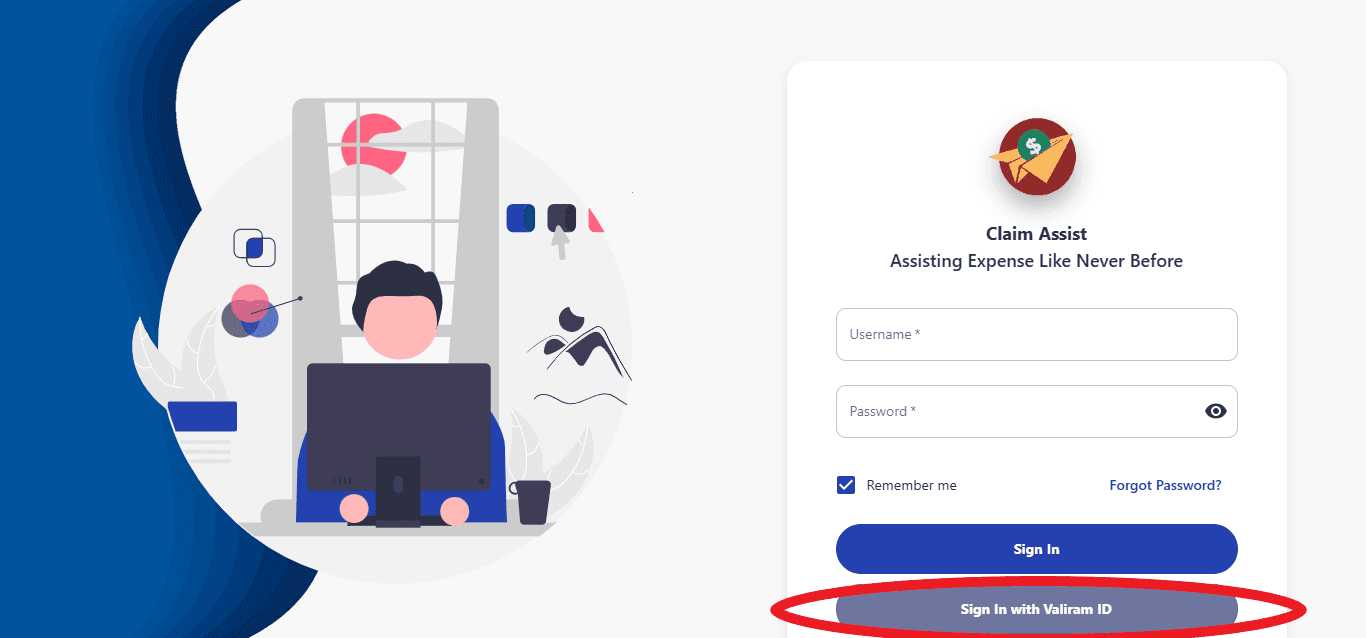
- The login page also provides an option to sign in using a Valiram ID.
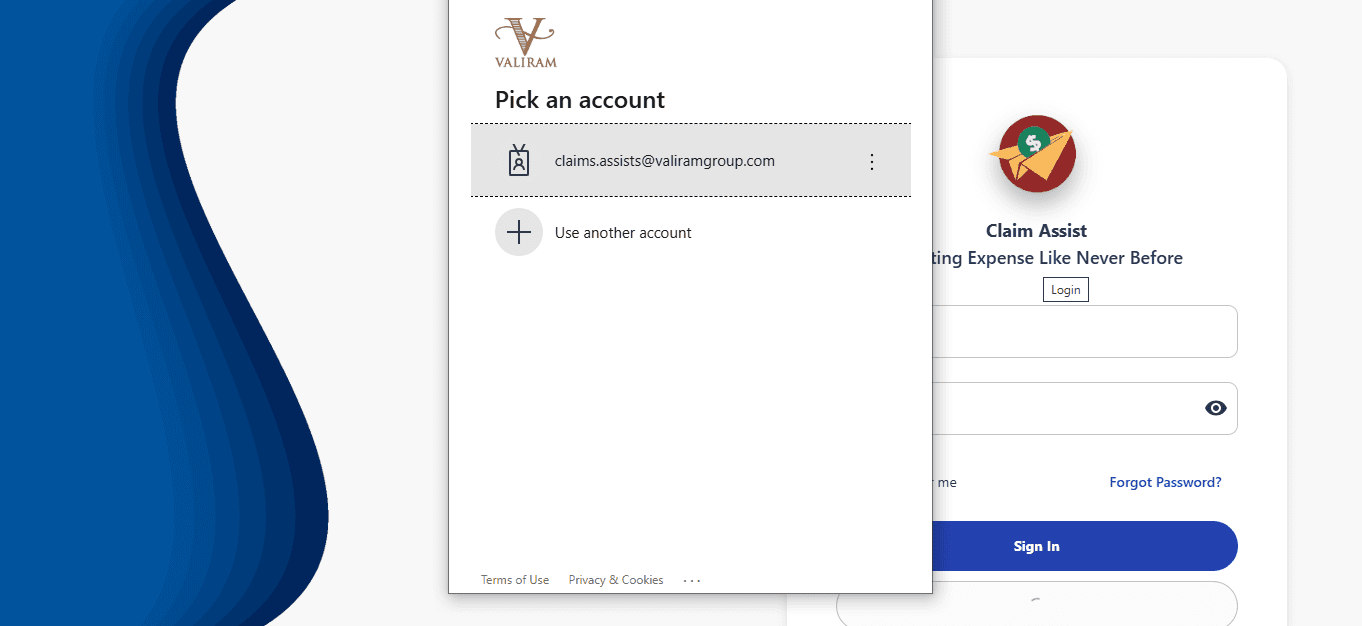
- Users can click the "Sign in with Valiram ID" button, which opens a modal for Valiram ID authentication.
- Inside the modal, users will need to enter their Valiram ID and password to log in.
- Once authenticated, they are redirected to the appropriate dashboard or landing page.
8. Welcome Email:
- After any successful login, users will receive a Welcome Email.
- The email will greet the user, confirm the login, and provide details about the system and any next steps.
- The email typically includes:
- A welcome message.
- Instructions for navigating the system.
- Contact information for support if needed.
- Optional links to user guides or documentation.
9. Multi-factor Authentication (Optional):
- Some systems may implement additional security layers like multi-factor authentication (MFA).
- After entering the correct credentials, users may be prompted to complete an additional verification step (e.g., entering a code sent via SMS or email).
10. Security Best Practices:
- The login page follows security protocols, such as HTTPS encryption, to ensure the secure transmission of sensitive user data.
- Passwords are stored securely and not retrievable in plain text.
11. Responsive Design:
- The login page is designed to be responsive, ensuring a seamless experience on various devices, including desktops, tablets, and mobile phones.
12. Redirect After Login:
- After successful login, users are redirected to their default dashboard or landing page based on their role and permissions within the system.
In summary, the Login page is designed with a focus on user experience and security, providing a straightforward and secure process for users to access their accounts.